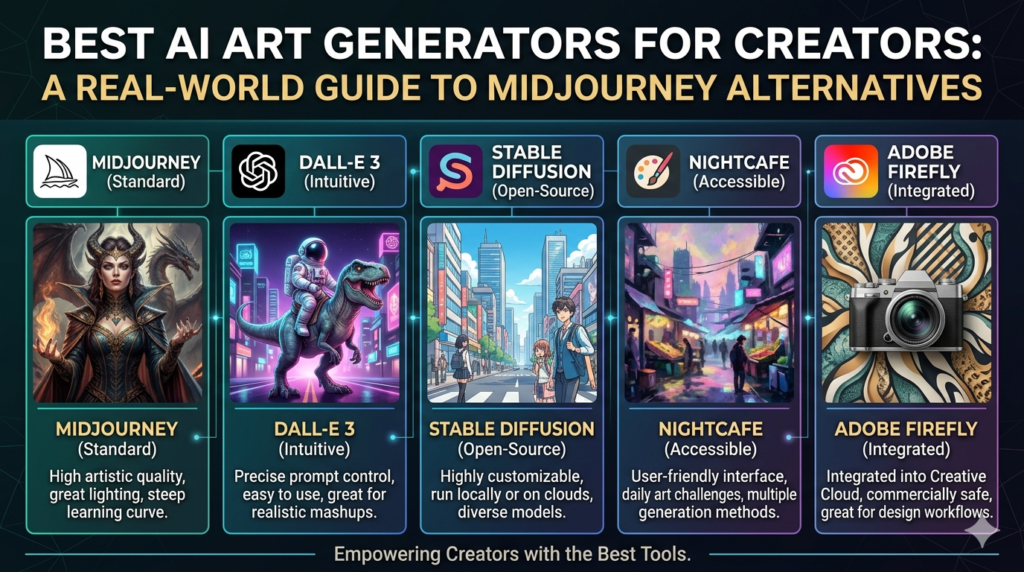
Midjourney put AI art on the map, but it’s no longer the only serious option and for a lot of creators, it isn’t even the best one anymore. This guide walks through the strongest AI image generators available right now, what each one is genuinely good at, where the pricing actually lands, and how to think about choosing between them. Written for creators in the US and UK who want practical guidance, not a sponsored top-ten list.
There’s a particular kind of frustration that comes from opening Discord, typing /imagine, and watching your prompt disappear into a public feed where anyone can see it right before you remember you’re trying to create concept art for a client project that’s under an NDA.
That moment, multiplied across thousands of creators, is a big part of why the AI art generator landscape looks completely different today than it did when Midjourney first broke into the mainstream. Midjourney deserves real credit. It’s the tool that proved AI-generated images could be genuinely beautiful, not just technically impressive. But “first” and “best for your specific situation” are two very different things, and the market has matured enough that there’s now a legitimate alternative for almost every kind of creative need.
This guide isn’t about declaring a single winner. It’s about understanding what’s actually out there, what each tool does well, and how to figure out which one deserves a spot in your workflow.
Why “Best” Depends Entirely on What You’re Making Midjourney
Before getting into specific tools, it’s worth sitting with an uncomfortable truth: there is no universal “best” AI image generator. Best AI Art Generators for Creators: A Real-World Guide to Midjourney The right tool depends heavily on what you’re trying to create, how you plan to use it, and what you’re willing to trade off.
A wedding photographer experimenting with creative concept shoots has very different needs than an indie game developer who needs hundreds of consistent character assets. A marketing team at a mid-size company that needs commercially defensible, copyright-clean imagery is in a completely different situation than a hobbyist making fantasy art for fun. Treat every “best AI art generator” list including this one — as a starting point for your own testing, not a final verdict.
With that framing in place, let’s get into the tools that actually matter right now.
Midjourney: Still the Aesthetic Benchmark
Let’s start with the tool everyone else gets compared to.
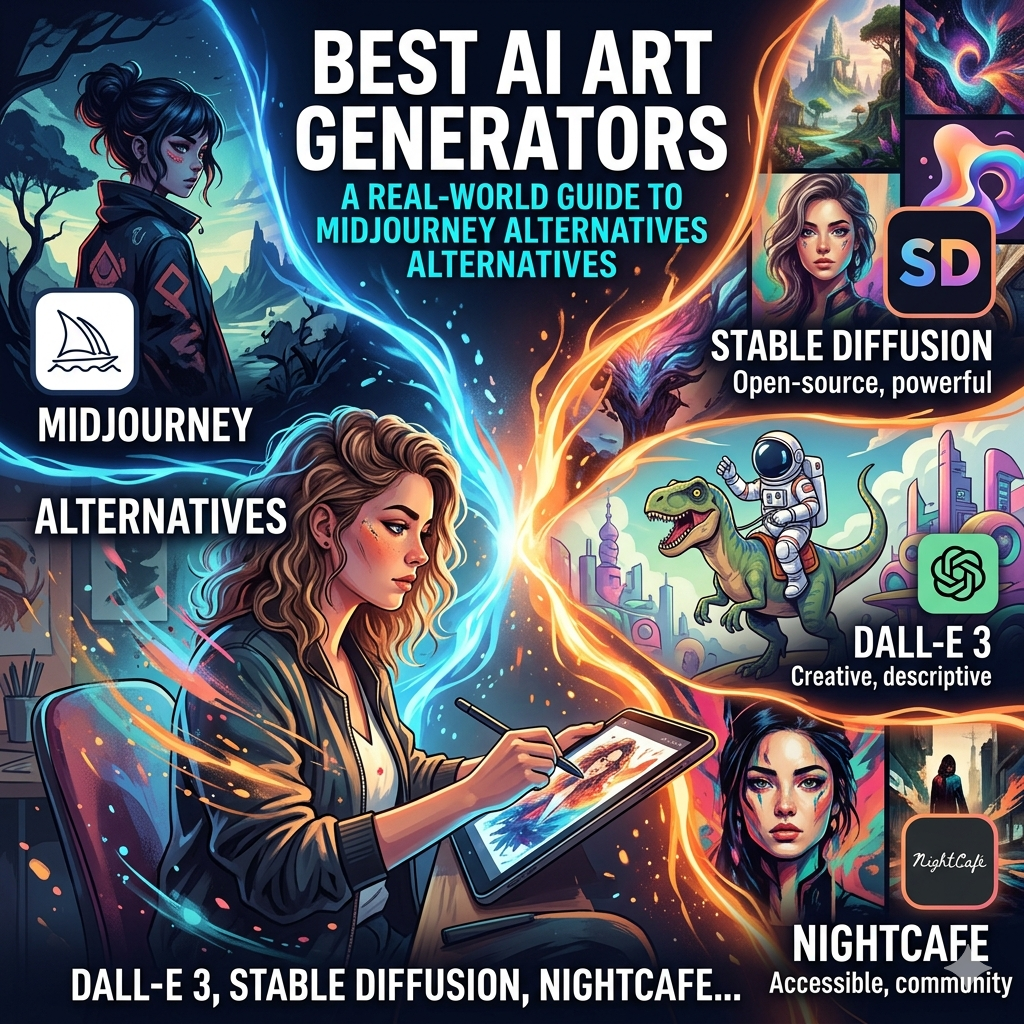
Midjourney remains widely regarded as having the strongest default aesthetic sense of any major AI image generator. Ask it for a fantasy landscape, a moody portrait, or a surreal concept piece, and it tends to produce something that looks intentional and artistically composed straight out of the gate, often with less prompt engineering required than competing tools.
The tradeoffs are real, though. Mid journey runs primarily through Discord, which plenty of creators find clunky compared to a clean web interface though a standalone web app has expanded access for paid subscribers. There’s no meaningful free tier; pricing runs on a subscription model tied to GPU hours, generally landing somewhere between roughly $10 and $120 a month depending on usage volume. And by default, generated images appear on Mid journey’s public Explore page, which is a genuine problem if you’re doing confidential client work or simply don’t want your experiments visible to strangers. Private generation is available, but it’s gated behind higher-tier plans.
Best for: creators who prioritize raw aesthetic quality above interface convenience or budget, and who don’t need every generation kept private by default.
Leonardo.ai: The Most Generous Entry Point
If Midjourney’s lack of a free tier has ever stopped you from experimenting, Leonardo.ai is probably the first alternative worth trying.
Leonardo offers a genuinely usable free plan 150 tokens replenished daily, enough for roughly 30 to 75 images depending on settings, which is far more generous than most competitors offer at no cost. It runs on a token-based system across multiple underlying models, including Phoenix, FLUX, and GPT Image, giving you meaningful flexibility without needing separate subscriptions to different platforms.
Beyond the free tier, Leonardo’s paid plans scale reasonably: an Apprentice tier around $10 to $12 a month, an Artisan tier in the $24 to $30 range with a much larger token allocation, and a Maestro tier for high-volume professional use. It also includes a Canvas Editor for more precise compositional control, and tools specifically aimed at game asset creation character consistency, 3D texture generation — that make it particularly popular among indie game developers.
Best for: creators who want to experiment seriously before committing financially, and anyone who values model flexibility over having a single, highly polished aesthetic style.
Adobe Firefly: Built for Commercial Safety
If you work in a professional context where copyright defensibility actually matters agency work, brand assets, anything that might face legal scrutiny Adobe Firefly deserves serious attention, and for a specific reason that has nothing to do with image quality.
Firefly is trained primarily on Adobe Stock images, openly licensed content, and public domain material. That training data choice is the entire point. Adobe explicitly positions Firefly as commercially safe, backing enterprise users with an IP indemnification policy that protects against certain copyright claims arising from Firefly-generated content. That’s a meaningfully different value proposition than tools trained on broadly scraped internet imagery of uncertain provenance.
Firefly integrates directly into Photoshop, Illustrator, and the broader Creative Cloud ecosystem, which matters enormously if your workflow already lives inside Adobe’s tools. Pricing includes a limited free tier, with paid plans organized around generative credits and ranging from roughly $10 to nearly $200 a month depending on the Creative Cloud bundle involved.
The honest tradeoff: Firefly’s raw aesthetic output, particularly for highly stylized or fantastical imagery, tends to lag slightly behind Midjourney and some FLUX-based competitors. What you’re paying for is legal peace of mind and ecosystem integration, not necessarily the single best-looking image.
Best for: agencies, brand teams, and any professional context where commercial defensibility outweighs squeezing out the absolute best aesthetic result.
FLUX and FLUX Pro: The Photorealism Specialist
For pure photorealism skin texture, lighting accuracy, the kind of output that can pass for an actual photograph rather than an obviously AI-generated image FLUX has rapidly become the model many serious creators reach for first.
FLUX isn’t a single consumer product in the way Midjourney is; it’s a family of models (developed by Black Forest Labs, founded by some of the original researchers behind Stable Diffusion) that’s been integrated into multiple platforms, including Leonardo.ai and several dedicated FLUX-focused interfaces. FLUX Pro in particular has earned a reputation for matching or exceeding Midjourney’s quality specifically in photorealistic portrait and product photography contexts, even as Midjourney retains an edge for deliberately stylized, painterly output.
Best for: product photography, photorealistic portraits, and any use case where “looks like a real photo” is the actual goal rather than artistic stylization.
Stable Diffusion: The Open-Source Power User’s Choice
If you want complete control fine-tuning a model on your own image set, running generation entirely offline, modifying the underlying architecture Stable Diffusion remains the only serious option among the major players.
Because it’s open-source, Stable Diffusion can be run locally on your own hardware through interfaces like Automatic1111 or ComfyUI, with no internet connection required and no per-image cost once you’ve got it set up. This also means no content moderation layer dictating what you can and can’t generate, which is either a major selling point or a serious concern depending entirely on your intentions and how you plan to use it.
The tradeoff is technical overhead. Getting a good result from Stable Diffusion typically requires more prompt engineering skill, an understanding of concepts like LoRA fine-tuning and ControlNet, and a willingness to tinker with settings that other platforms abstract away entirely. It’s genuinely powerful, but it’s not the tool for someone who wants to type a sentence and get a great result in ten seconds.
Best for: developers, technically inclined artists, and anyone who needs custom model training or offline generation that no cloud-based tool can offer.
Quick Comparison: Choosing Your Tool
| Tool | Standout Strength | Free Tier | Typical Monthly Cost | Best For |
|---|---|---|---|---|
| Midjourney | Default aesthetic quality | None | $10–$120 | Pure artistic output |
| Leonardo.ai | Generous free access, model variety | Yes (150 tokens/day) | $0–$60 | Experimentation, game assets |
| Adobe Firefly | Commercial/legal safety | Limited | $10–$200 | Agency and brand work |
| FLUX / FLUX Pro | Photorealism | Varies by platform | Varies by platform | Product and portrait photography |
| Stable Diffusion | Full control, offline use | Free (self-hosted) | Hardware cost only | Technical users, custom training |
Other Tools Worth Knowing About
A few additional platforms have carved out genuinely useful niches rather than trying to be everything to everyone.
Ideogram has built a real reputation for one specific, historically difficult problem: generating images with legible, accurately rendered text. If you’ve ever tried getting an AI image generator to put correct words on a sign, a logo, or a book cover, you’ll know how often this goes wrong elsewhere. Ideogram handles it noticeably better than most competitors.
Google’s Imagen, accessible through the Gemini app and Vertex AI, has earned praise for unusually strong prompt-following accuracy, particularly in scenes with multiple distinct subjects that need to be positioned correctly relative to each other a task that trips up many other models. It’s also notable for being freely accessible through Gemini with no daily token limit, which is unusual generosity in this space.
ChatGPT’s image generation (built on Open AI’s GPT-Image model) has become a surprisingly strong contender simply due to convenience if you’re already using ChatGPT Plus for other work, generating images in the same conversation thread, with the model’s strong contextual understanding of your prompt, is a genuinely smooth experience that doesn’t require learning a separate platform.
Midjourney’s Niji mode, a specialized version trained with anime and Japanese animation aesthetics specifically in mind, deserves a mention for anyone working in that particular style it consistently outperforms general-purpose models for that specific visual language, even though it lacks some refinement tools available elsewhere.
What Actually Matters When Comparing These Tools
With so many options, it helps to boil the decision down to a handful of genuinely important questions.
Does the tool keep your generations private by default, or only on paid tiers? This matters enormously for client work, unreleased product concepts, or anything you’re not ready to make public. Check this before you fall in love with a tool’s output quality.
What’s the actual cost per image, not just the headline subscription price? Token-based systems can be deceptive a $12 monthly plan that burns through its allocation in a few days of moderate use isn’t actually cheaper than a $20 plan with a more generous allowance. Do the math on your expected usage volume before committing.
What are the commercial usage rights, specifically? Free tiers sometimes come with usage restrictions or require attribution that paid tiers waive. If you’re generating images for commercial use selling merchandise, using images in marketing, building a product around generated art read the licensing terms directly rather than assuming all “commercial use allowed” language means the same thing across platforms.
How much prompt engineering effort does the tool require to get a good result? Some platforms are forgiving of vague prompts and still produce strong output. Others reward (or require) detailed, technically structured prompts to avoid mediocre results. If you’re not interested in becoming a prompt engineering specialist, this matters more than raw maximum quality ceiling.
A Practical Way to Choose
Rather than trying to crown one winner, here’s a more useful approach: pick three tools based on your primary use case, spend a genuine week with each, and pay attention to how the experience actually feels not just whether any single image looks impressive.
If your priority is artistic, stylized output and budget isn’t the main constraint, start with Midjourney. If you want to experiment broadly before spending anything, Leonardo.ai’s free tier is the most generous on-ramp available. If commercial defensibility is non-negotiable for your work, Adobe Firefly is worth the learning curve even if its raw aesthetic occasionally trails the competition. If photorealism is the actual goal, look specifically at FLUX-based options. And if you need full control and are comfortable with technical setup, nothing currently beats Stable Diffusion’s flexibility.
The field genuinely does move quickly tools that felt mediocre a year ago are now genuinely competitive, and today’s also-rans may well be tomorrow’s leaders. Treat any specific recommendation, including everything in this article, as a snapshot rather than a permanent ranking.
Frequently Asked Questions
Q: Is Midjourney still worth using in 2026 given all these alternatives? For creators whose top priority is consistently strong artistic and stylized output with minimal prompt engineering, yes Mid journey’s default aesthetic quality remains genuinely difficult to match. The calculus changes if privacy, budget, or interface convenience matter more to your specific workflow than squeezing out the single best-looking image.
Q: Which AI image generator is actually free to use, not just “freemium”? Leonardo.ai’s free tier is among the most usable in the market, offering enough daily tokens for dozens of images without forcing an upgrade for basic experimentation. Google’s Imagen, accessed through Gemini, is also notable for free access without a daily token cap. Stable Diffusion is free in the sense that there’s no subscription, though you’ll need your own hardware (or a cloud GPU rental) to run it.
Q: What’s the safest option for commercial work where copyright matters? Adobe Firefly is specifically built and marketed around this concern, using training data Adobe controls or has licensed, and backing enterprise users with IP indemnification. No AI image generator is entirely free of legal uncertainty given the broader, unsettled state of AI copyright law, but Firefly’s training data approach is the most deliberately conservative among major platforms.
Q: Can I get consistent characters across multiple images with these tools? This varies significantly by platform. Leonardo.ai has specific tools aimed at character consistency, which is part of why it’s popular with game developers. Midjourney supports character reference features that help maintain visual consistency across generations. Achieving perfect consistency across many images remains a genuinely difficult, only partially solved problem industry-wide, regardless of which tool you choose.
Q: Do I need to learn complicated prompt engineering to get good results? It depends entirely on the tool. Midjourney and Leonardo tend to produce strong results from relatively simple, descriptive prompts. Stable Diffusion generally rewards (and often requires) more detailed, technically structured prompts, along with familiarity with concepts like negative prompts and sampling settings, to consistently get good output.
Q: Is it legal to sell artwork made with AI image generators? This depends on the specific platform’s terms of service and, in some jurisdictions, on unsettled questions of copyright law around AI-generated content. Most major paid tiers explicitly grant commercial usage rights, but the underlying legal status of AI-generated art’s copyrightability is still being actively litigated and legislated in both the US and UK. If commercial sale is central to your plans, read each platform’s specific commercial terms directly rather than assuming they’re interchangeable.
A Final Thought
The AI art generator landscape has moved well past the point where Midjourney was simply “the AI art tool.” What exists now is a genuinely diverse ecosystem, with real, meaningful tradeoffs between aesthetic quality, cost, privacy, commercial safety, and creative control.
That’s a good problem to have. It means the right answer for your specific creative work probably exists somewhere in this list you just have to be honest with yourself about what actually matters for what you’re making, rather than chasing whichever tool currently has the most buzz.
Start with whichever platform’s free tier matches your actual use case most closely, spend real time with it, and let your own results not anyone’s ranking, including this one tell you whether it’s earned a permanent spot in your workflow.
ng actively litigated and legislated in both the US and UK. If commercial sale is central to your plans, read each platform’s specific commercial terms directly rather than assuming they’re interchangeable.
Q: What’s the actual difference between Leonardo.ai and Midjourney?
Leonardo offers a genuine free tier, access to multiple underlying models (Phoenix, FLUX, GPT Image), and tools built specifically for game asset workflows like character consistency and 3D textures. Midjourney has no free tier and runs primarily through Discord, but its default output tends to look more artistically composed straight out of the box, with less prompt tweaking required to get a polished result.
Q: Which tool is best for photorealistic images rather than stylized art?
FLUX and FLUX Pro have built a strong reputation specifically for photorealism — skin texture, lighting accuracy, and output that can pass for an actual photograph. They’re available through multiple platforms, including Leonardo.ai, rather than as a single standalone consumer product.